TL;DR:
- Effective app branding quickly communicates purpose and builds trust through consistency and clarity.
- Iterative testing and user feedback significantly improve visual elements and boost installs.
- Authentic storytelling and timely visuals help indie apps stand out and grow without large budgets.
Your app could be genuinely great and still get ignored. In a marketplace with millions of listings, your icon, screenshots, and color palette often decide whether someone taps “Download” or scrolls past. Branding is not decoration. It is the first conversation you have with a potential user, and that conversation happens in about three seconds. Reflection.app’s A/B icon test produced a 1.3x lift in first-time installs, which is a significant jump from a single visual change. This article breaks down real indie branding examples, explains what made them work, and gives you a repeatable framework to apply the same thinking to your own app listing.
Table of Contents
- What makes app branding effective?
- Reflection.app: A logo reboot that drove more installs
- Widgetsmith: Customization and timing lead to a branding breakout
- Lessons from top indie apps: Iteration, feedback, and conversion focus
- Beyond visuals: Why indie app branding is about trust and story
- Elevate your app branding today
- Frequently asked questions
Key Takeaways
| Point | Details |
|---|---|
| Branding affects installs | Small visual changes, like a new logo, can significantly boost install rates for indie apps. |
| Customization drives virality | Adapting to platform trends with fresh visuals made Widgetsmith a standout success. |
| Test and measure | A/B testing improvements and tracking conversions make branding updates meaningful. |
| Story builds trust | The best app branding communicates purpose and reliability, earning user trust alongside attention. |
What makes app branding effective?
Effective app branding is not about having the most polished visuals. It is about being instantly recognizable and clearly communicating what your app does. Users scan app store listings fast, so every visual element needs to earn its place.
Here are the core attributes that separate strong app branding from forgettable ones:
- Consistency: Your icon, screenshots, and color palette should feel like they belong to the same family. Inconsistency signals a lack of polish and erodes trust.
- Clarity: A user should understand your app’s purpose within seconds of seeing your listing. Cluttered screenshots or a confusing icon slow that recognition down.
- Platform awareness: App Store and Google Play have different screenshot dimensions, feature graphic requirements, and browsing behaviors. Branding that works on one platform may need adjustments for the other.
- Messaging alignment: The text overlays on your screenshots should reinforce your core value proposition, not repeat generic phrases like “Easy to use” or “Fast and reliable.”
- Iteration: Branding is not a one-time task. The best indie teams treat their store visuals the way they treat code, shipping, testing, and refining.
One underrated factor is how branding compounds with App Store Optimization. Iterative updates combined with launch traffic can stack ranking improvements and download velocity in ways that neither strategy achieves alone. When your visuals convert better, your store ranking improves. Better ranking brings more traffic, and better branding converts that traffic more efficiently.
Pro Tip: Start with branding steps for higher conversions before you touch your screenshots. Locking in your visual identity first makes every downstream design decision faster and more consistent.
User feedback is another lever that most indie developers underuse. Posting your icon or screenshot variations in developer communities or running a quick poll with your existing users can surface blind spots that no amount of solo iteration will catch.
Reflection.app: A logo reboot that drove more installs
Reflection.app is a journaling and self-reflection tool built by a small team. When they decided to refresh their brand identity, they did not just pick a new color and call it done. They ran a structured A/B test on their app icon and measured the outcome in installs.
The result was clear: a 1.3x increase in first-time installs after switching to the updated icon. That is not a marginal improvement. For an indie app without a massive marketing budget, a 30 percent lift in installs from a visual change alone is a meaningful win.
What drove the improvement? A few specific design decisions stand out:
- Simplicity over complexity: The new icon used fewer elements and cleaner shapes, making it easier to recognize at small sizes.
- Emotional resonance: The updated design felt more aligned with the app’s purpose, reflection and self-awareness, rather than being a generic journaling symbol.
- Contrast and legibility: The new icon held up well against both light and dark home screen backgrounds, which is a practical concern many developers overlook.
- User input: The team gathered feedback before finalizing the direction, which reduced guesswork and increased confidence in the final choice.
| Branding element | Before | After |
|---|---|---|
| Icon complexity | Multi-element | Simplified, single focal point |
| Install lift | Baseline | 1.3x first-time installs |
| Design process | Internal only | User feedback integrated |
| Visual alignment | Generic | Purpose-driven |
The Reflection.app example is a strong reminder that your icon is not just a logo. It is a conversion asset. If you want to apply this kind of thinking to your screenshots, a branding tutorial for screenshots can walk you through the same iterative approach. And if you publish on Android, the same principles apply when you design Google Play visuals with conversion in mind.
Pro Tip: Run your icon candidates through a mockup tool to see how they look on an actual device home screen before committing. Small icons read very differently than large design files.
Widgetsmith: Customization and timing lead to a branding breakout
Widgetsmith is one of the most striking indie success stories in recent app store history. Built by solo developer David Smith, the app lets users create custom home screen widgets with personalized styles, fonts, and colors. When Apple introduced iOS 14 and its redesigned home screen widget support, Widgetsmith was ready.
The app reached 131 million downloads, a number that most funded startups never approach. The branding strategy behind that growth was not accidental.
What Widgetsmith did differently:
- Screenshots showed the actual output users could create, not abstract feature lists. Seeing a beautiful, personalized home screen was the pitch.
- The visual identity leaned into variety. Because the app supported countless aesthetic styles, the marketing visuals could stay fresh and appeal to different tastes.
- Timing was treated as a branding asset. Launching with strong visuals at the moment iOS 14 dropped meant the app captured organic attention when user curiosity was at its peak.
- Shareable output created organic branding. Users posting their custom home screens on social media became unpaid brand ambassadors.
| Branding approach | Static visuals | Customizable visuals |
|---|---|---|
| User appeal | Fixed audience | Broad, diverse audience |
| Social sharing potential | Low | High |
| Visual freshness over time | Fades | Stays current |
| Conversion signal | “Here is the app” | “Here is what you can create” |
The lesson here is that mockup customization strategies matter more than most developers realize. When your screenshots show what users will experience rather than what your interface looks like, you shift from feature marketing to outcome marketing. That shift converts better. Pairing this with smart visual marketing strategies can amplify the effect significantly.

Stat to note: 131 million downloads from a solo developer with no traditional advertising budget. Branding and timing did the heavy lifting.
Lessons from top indie apps: Iteration, feedback, and conversion focus
Looking across these stories, a clear set of repeatable patterns emerges. These are not theoretical best practices. They are behaviors that produced measurable results for real indie teams.
- Run A/B tests on visual elements. Do not guess which icon or screenshot layout performs better. Test it. Even simple tools or community polls give you directional data. Reflection.app measured conversion uplift, not just aesthetics, which kept the team focused on what actually mattered.
- Collect user feedback before and after changes. Internal opinions are biased. Real users will tell you things your team cannot see. Build feedback loops into your branding process.
- Adapt to platform trends quickly. Widgetsmith’s timing was not luck. It was preparation meeting opportunity. Watch for platform updates that create new visual contexts for your app.
- Use numbers to evaluate branding decisions. Install rate, conversion rate, and page visit-to-download ratio are your scorecards. Gut feelings are a starting point, not a finish line.
- Prioritize visuals that communicate core value. Every screenshot should answer one question: “What will my life look like if I use this app?”
“Ongoing review, iteration, and user feedback amplify the impact of branding updates.” This is not a one-time effort. The apps that sustain growth treat their store listings as living products.
Iterative ASO improvements stack over time. A 5 percent conversion improvement this month, combined with a better icon next quarter and sharper screenshots after that, compounds into a fundamentally different trajectory for your app. Staying current with visual trends for engagement and optimizing your preview images for conversions are two practical places to start that compounding process.
Beyond visuals: Why indie app branding is about trust and story
Here is what most technical branding articles miss: users are not just evaluating your colors or icon shape. They are asking a deeper question. “Can I trust this app with my time and attention?”
For indie developers, that question is harder to answer than it is for a company with a recognizable name. You do not have brand equity built up over years. Your screenshots and icon are doing the work that a reputation would otherwise do.
This means your visuals need to tell a story, not just display features. The story is: “A real person built this with care, it solves a real problem, and it will keep getting better.” Authenticity in visual presentation matters more for indie apps than for enterprise software.
The temptation is to chase every trend. Dark mode aesthetics, glassmorphism, whatever is popular this season. But trends that do not connect to your app’s actual identity create a gap between expectation and experience. Users notice that gap after they install. That is when reviews turn negative.
Strong indie branding evolves with your users, not with design Twitter. Use marketing tips for conversions to stay grounded in what your actual audience responds to, not what looks impressive in a design portfolio.
Elevate your app branding today
The examples in this article prove that thoughtful branding is one of the highest-return investments an indie developer can make. You do not need a design agency or a six-figure budget to compete visually.
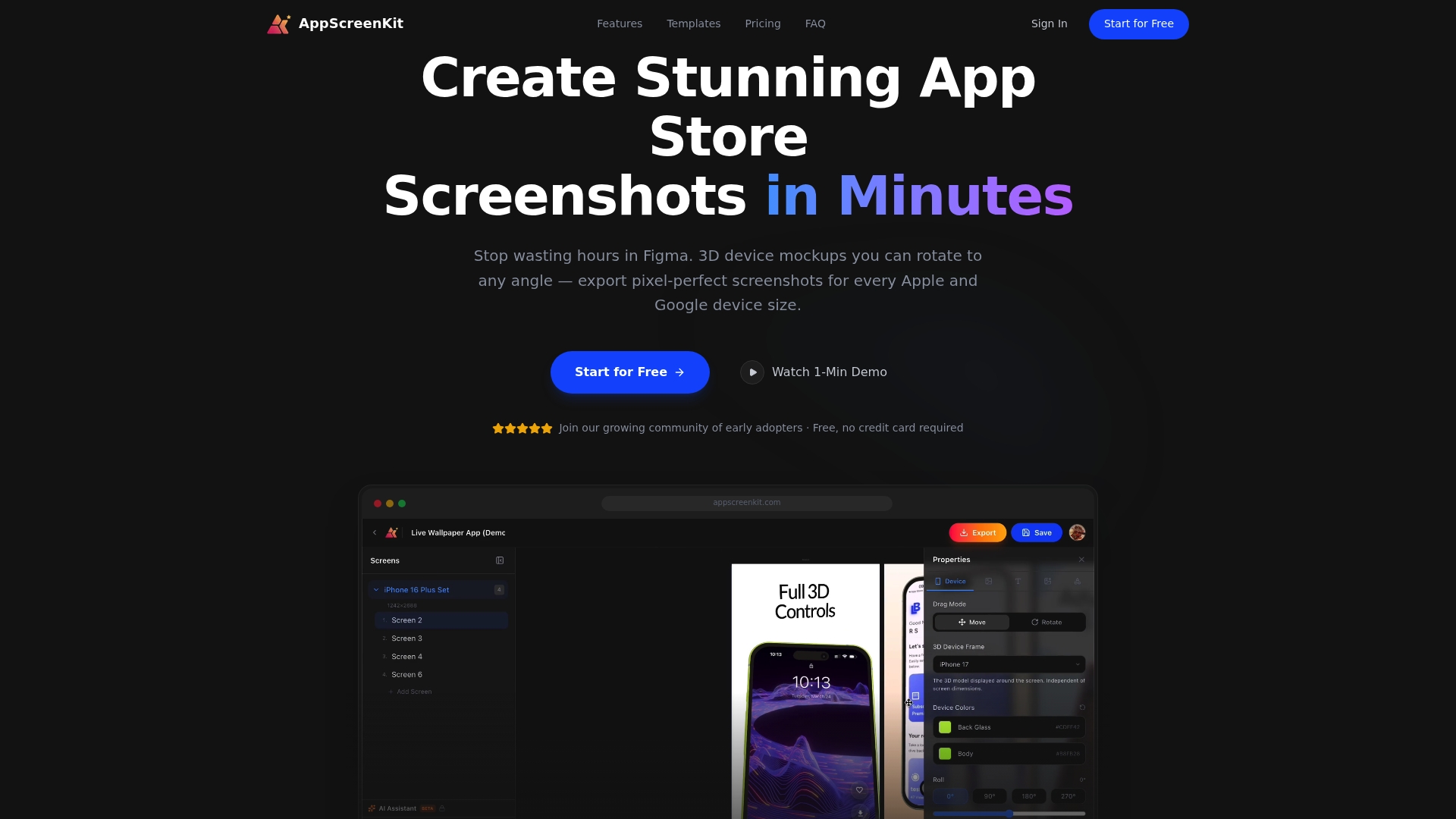
AppScreenKit gives you the tools to act on everything covered here. Generate polished, store-ready screenshots in minutes using pre-built templates and 3D device mockups. No Figma skills required. Start with a fast screenshot generation workflow to see how quickly you can level up your listing, then use the screenshot branding tutorial to apply a consistent visual identity. When you are ready to build, the App Store Screenshot Generator handles all device sizes with one click.
Frequently asked questions
How do I choose the right visual style for my indie app?
Focus on simplicity and coherence with your app’s purpose, then let data guide the final call. Reflection.app chose their icon based on actual install data from a structured test, not internal preference.
Does changing my app icon really impact downloads?
Yes, and the impact can be significant. A single A/B tested icon change gave Reflection.app a 1.3x increase in first-time installs, which is a measurable, repeatable outcome.
How does customization boost app branding success?
Customizable visuals stay fresh and shareable over time. Widgetsmith’s approach to timely, varied themes contributed directly to 131 million downloads without traditional advertising.
What is the best way to measure the impact of branding changes?
Track conversion rate before and after each change using A/B tests. Measuring conversion uplift gives you a direct, honest signal that aesthetics alone cannot provide.
Can indie teams succeed with branding against big companies?
Absolutely. Widgetsmith’s 131 million downloads and Reflection.app’s install lift both came from strategic iteration, not big budgets. Authenticity and speed of iteration are advantages that small teams actually have over large ones.
Leave a Reply