TL;DR:
- Screenshot localization enhances app store conversion by tailoring visuals to local cultures and languages.
- Caption-only localization offers a quick, cost-effective way to improve international app listings.
- Prioritize localization in key markets to maximize ROI before expanding to additional regions.
Translating your app’s UI is just one piece of the global growth puzzle. Plenty of well-built apps stall in new markets not because the product is weak, but because the app store screenshots still feel foreign to local users. Those screenshots are often the first and sometimes only thing a potential user sees before deciding whether to download or scroll past. This article walks you through what screenshot localization actually means, which approaches deliver the best return, how modern workflows can save your team serious time, and how to pick the right markets to prioritize first.
Table of Contents
- What is screenshot localization?
- Caption-only vs full UI: Approaches and trade-offs
- Hybrid workflows: AI, automation, and human review
- Selecting markets: Maximize ROI with focused localization
- Why screenshot localization is an app growth superpower (and most teams miss it)
- Ready to localize your screenshots with less effort?
- Frequently asked questions
Key Takeaways
| Point | Details |
|---|---|
| Screenshot localization basics | It means adapting your app’s images for each market, not just translating text. |
| Caption vs. full UI approach | Caption-only gets most of the benefit; full UI delivers an edge in key countries. |
| Hybrid workflows best | Combine AI automation and human review for fast, quality results. |
| Focus resources | Prioritize your top 3-5 markets to maximize app ROI before scaling. |
What is screenshot localization?
Screenshot localization is the process of adapting your app store screenshots for each target market, linguistically, visually, and culturally. It goes well beyond swapping out caption text. It can include adjusting the interface elements shown in the screenshots, rewriting captions to match local idioms and reading patterns, changing layout direction for right-to-left languages like Arabic or Hebrew, and even selecting culturally relevant imagery.
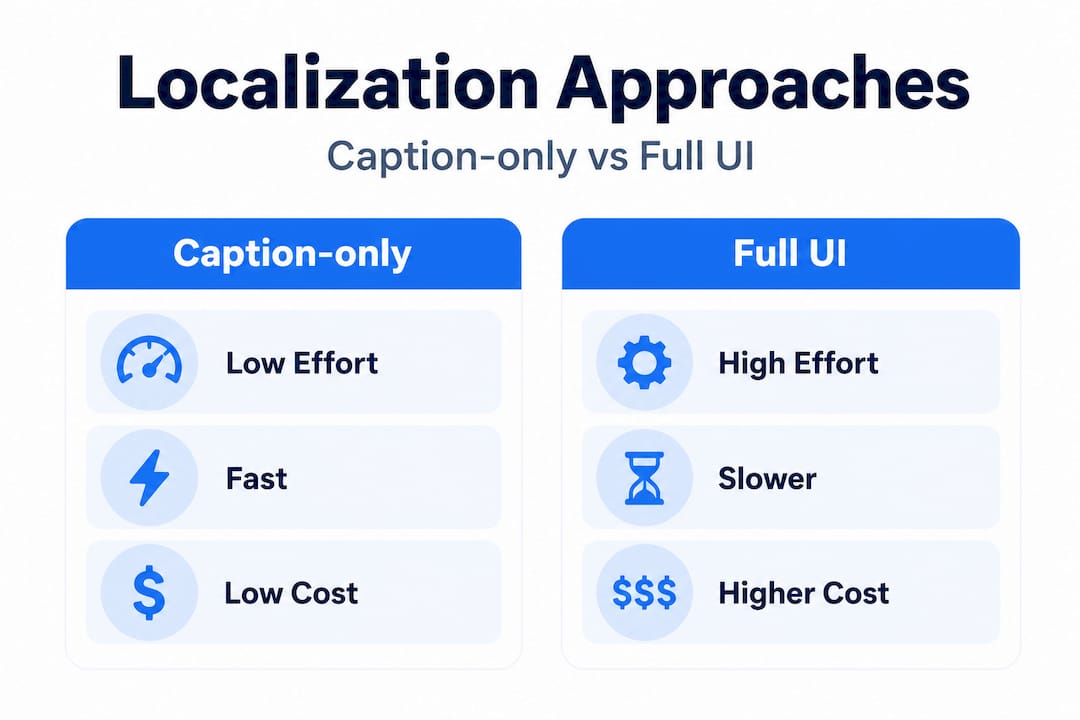
There are two main approaches. The first is caption-only localization, where you keep the same base screenshot and simply replace the overlay text with translated captions. This is fast, cost-effective, and easy to automate at scale. The second approach is full UI replacement, where you actually show a localized version of the app interface inside the screenshot itself, complete with translated menus, buttons, and content. As noted in research on app screenshot localization, caption-only is easy to automate across many locales, while full UI replacement is best reserved for your most important markets.
Who benefits most from screenshot localization? The short answer is everyone in the funnel. Developers get higher conversion rates from browse to install. Marketers see better ROI from paid acquisition campaigns because localized creatives convert more efficiently. And international users get a first impression that feels tailored to them rather than translated from English as an afterthought.
Strong screenshot optimization practices tell you how to design screenshots that work. Screenshot localization tells you how to make those designs land in every market you enter.
Pro Tip: If you have to choose between polishing in-app translations and localizing your app store screenshots, prioritize the screenshots first. Most users never see the in-app experience if the screenshots don’t convince them to download.
- Adapt caption text to match local tone, not just direct translation
- Adjust layout direction for RTL languages
- Replace any culturally specific imagery or icons
- Show localized UI inside the screenshot when resources allow
- Verify that text length fits within your design frame after translation
Caption-only vs full UI: Approaches and trade-offs
With a clear definition in hand, let’s compare the main strategies app teams can use for screenshot localization.
Caption-only localization means your screenshot images stay the same, but the text overlays are translated and sometimes restyled. You might adjust font, color, or layout slightly to fit longer or shorter translated strings, but the underlying screenshot stays constant. This is the most accessible starting point for any team. You can batch-process dozens of locales relatively quickly, and the cost per locale is low.
Full UI localization takes more effort. Here you go back to the design source, create locale-specific versions of your app interface, capture new screenshots from those builds, and then compose them into your store assets. The result is far more convincing because users see an app that looks like it was built for them, not just captioned for them. Branding localized screenshots properly within this approach requires consistency in color, typography, and visual identity across every locale you produce.

Research consistently shows that caption-only localization delivers strong ROI with minimal investment, while full UI localization is more convincing but significantly more effort-intensive. In practice, most teams get roughly 80% of the conversion lift from caption-only, making it the high-ROI default for the majority of locales.
| Factor | Caption-only | Full UI |
|---|---|---|
| Effort level | Low | High |
| Cost per locale | Low | High |
| Speed to publish | Fast | Slow |
| Conversion impact | Good | Best |
| Best for | Most markets | Top 3-5 strategic markets |
| Automation potential | High | Low |
| Design skill required | Minimal | Significant |
Using pre-built screenshot templates can dramatically cut the time it takes to produce caption-only variants at scale. You set up your base design once and then swap out text strings for each locale without rebuilding the layout from scratch.
Key advantages of caption-only localization:
- Fast turnaround, even across 20+ locales
- Consistent visual branding across all markets
- Lower cost, which means more markets covered per budget dollar
- Easier to iterate and update when app features change
Key advantages of full UI localization:
- Higher trust signal for users who expect native-feeling apps
- Better performance in competitive categories with high-quality competitors
- More accurate representation of the actual in-app experience
- Stronger emotional resonance, especially in high-context cultures
Pro Tip: Start with caption-only localization for all target locales to get broad market coverage quickly. Then invest in full UI localization for your top three to five markets by download volume or revenue potential.
Hybrid workflows: AI, automation, and human review
Having explored the two main approaches, let’s look at efficiencies gained through automation and smart hybrid workflows.
The traditional manual workflow looks like this: a designer opens a source file, manually updates every text string, adjusts spacing, exports the file, checks dimensions, and repeats this process for every locale. For a five-screenshot set across fifteen locales, that can mean hundreds of manual steps. It is slow, error-prone, and doesn’t scale.
Modern teams are increasingly using a hybrid model, where AI and automation tools handle the first pass of localization, and human editors step in to catch errors, adjust for cultural nuance, and verify that nothing got lost in machine translation. According to research on hybrid localization, combining AI-driven first drafts with human review consistently outperforms fully manual workflows in both speed and error rates.
Here is how a typical hybrid workflow breaks down:
- Prepare your base screenshot set in a flexible format with text layers separated from background elements.
- Feed captions through an AI translation tool to generate first-draft text for each locale.
- Apply translations automatically using a batch tool or template engine that slots text into pre-defined caption zones.
- Run an automated quality check to flag text overflow, font rendering issues, or missing strings.
- Send flagged locales to a native-language reviewer for cultural and contextual editing.
- Export and format for each device size using a fast screenshot generation tool that handles resizing automatically.
- Run a final compliance check to ensure all screenshots meet screenshot size compliance requirements before submission.
| Workflow type | Time per locale | Error rate | Scalability | Cost |
|---|---|---|---|---|
| Manual only | 2-4 hours | High | Low | High |
| AI-only | 15-30 minutes | Medium | High | Low |
| Hybrid (AI + human) | 30-60 minutes | Low | High | Medium |
The hybrid model is not just faster. It also produces screenshots that read more naturally in each target language because a human catches the moments when a machine translates correctly but culturally wrong. For example, a phrase that works perfectly in American English marketing copy might come across as overly pushy in Japanese or oddly formal in Brazilian Portuguese.
Pro Tip: Use AI-based batch tools for your initial caption drafts across all locales, but always route at least your top five markets through a native-language reviewer before publishing to the app store.
Selecting markets: Maximize ROI with focused localization
Once you have your workflow, the next question is: which markets deserve your localization resources first?
The temptation when you have a functional workflow is to localize for every possible market at once. Resist that impulse. Spreading your localization budget thin across forty languages before you have validated demand is one of the fastest ways to end up with mediocre screenshots in every market rather than excellent ones in the markets that matter most.
“Prioritize your top 3-5 markets before scaling to 40+. Focused localization beats scattered coverage every time.” (Source: Translate Screenshots for App Localization)
A focused market selection approach forces you to validate your localization strategy before scaling it. Think of it as a lean launch for your global presence, learn from real performance data, then scale what works.
Criteria for selecting your first localization markets:
- Download volume: Where are you already seeing organic installs without localized screenshots? These users are finding you despite the friction. Remove that friction and you accelerate.
- Revenue potential: Markets with high average revenue per user, such as Japan, South Korea, the United States, the United Kingdom, Germany, and Australia, often justify the investment in full UI localization, not just captions.
- Growth rate: Some markets show strong upward trajectory in app installs within your category. Getting in early with localized screenshots can lock in early market share.
- Competitive intensity: A crowded market with well-localized competitors means your generic screenshots are at a significant disadvantage. Localization becomes a competitive necessity rather than a nice-to-have.
- Language fit: Languages with larger character footprints (like German or Finnish) or right-to-left orientation (like Arabic) require more design adjustment. Factor that work into your prioritization.
Visual marketing for new markets requires a thoughtful approach that goes beyond just translating words. Color psychology, imagery expectations, and even the type of social proof shown in screenshots can vary significantly between regions.
Once your first five markets show positive performance signals, use the app store listing checklist to ensure each subsequent market launch is complete and conversion-optimized before it goes live. Scaling without a consistent checklist is how small quality issues compound into a fragmented global presence.
A common mistake is launching localized screenshots in new markets and then leaving them static for twelve or more months. Your base screenshots should evolve with your product and your market learnings. Build a review cadence so that localized screenshot sets get updated when major features ship or when A/B testing reveals that a different layout performs better.
Why screenshot localization is an app growth superpower (and most teams miss it)
Here is something that consistently surprises teams who start investing in screenshot localization seriously: the conversion lift is almost always larger than they expected, and the teams that miss it almost always assumed that product quality would carry them globally.
We see this pattern repeatedly. A team builds a genuinely great app, localizes the in-app text meticulously, and then ships the same English-language screenshots with a caption translated through a free tool into fifteen markets. The result is that those markets underperform their true potential, and the team concludes that the market just isn’t ready for the product. The actual problem was that users never got past the listing page.
Screenshots communicate instantly in a way that descriptions and reviews do not. A user scanning the app store makes a judgment call within seconds. If the screenshots look generic, feel foreign, or don’t reflect how the app speaks in that user’s cultural context, the cognitive distance is enough to kill the download. It is not a rational calculation. It is a gut response.
The teams who treat screenshot localization as a strategic investment rather than a copy-paste translation task see the difference in their analytics. Their common screenshot mistakes become visible when they compare localized versus non-localized market performance side by side. The data almost always tells the same story. The localized listing converts better. Sometimes by double digits.
The contrarian insight here is this: most app teams treat screenshots as a one-time design task. Build once, ship everywhere. But localization teaches you something valuable about each market beyond conversion rates. It forces you to think about what each market actually values about your product, what benefit to lead with, what tone to strike, what problem to foreground. That market intelligence is useful far beyond your app store listing.
Allocate a realistic screenshot localization budget from the start of any new market entry, not as an afterthought after launch. The teams that build it into their release process rather than retroactively patching it later consistently execute faster and spend less per localized market over time.
Ready to localize your screenshots with less effort?
If you want to put these strategies into action and save hours per release, the right tools make a real difference. Building localized screenshot sets manually for every locale is the kind of work that bottlenecks releases and burns designer hours on repetitive tasks.
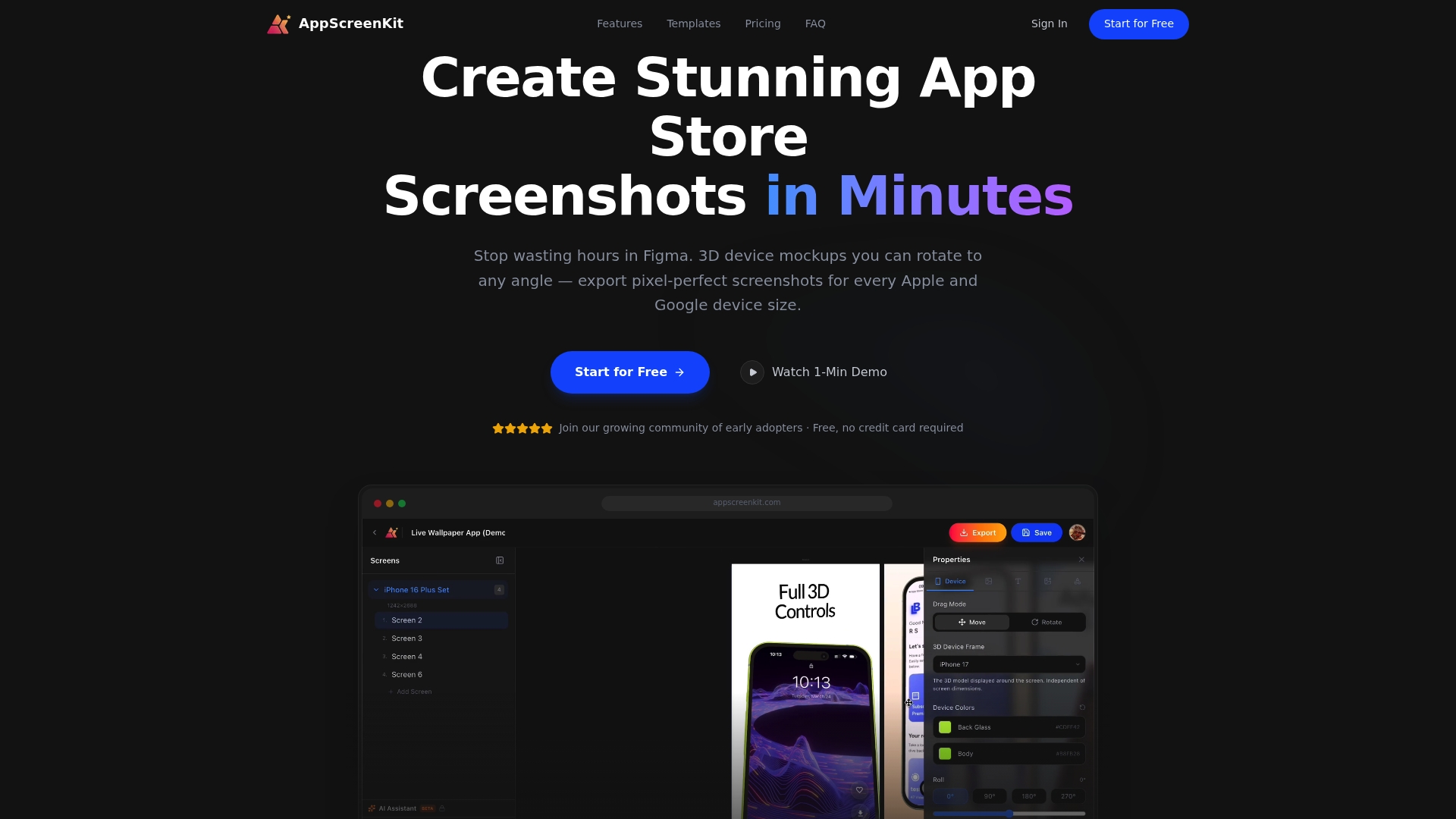
AppScreenKit is built for exactly this challenge. Upload your app images, drop them into professional 3D device mockups, add your localized captions, choose a gradient or branded background, and export pixel-perfect screenshots for every required device size in one click. No Figma expertise needed, no manual resizing across device dimensions. The platform handles compliance sizing automatically, so you spend your time on localization strategy rather than export settings. Explore current screenshot visual trends to make sure your localized sets are not just accurate but competitive in 2026.
Frequently asked questions
What is the difference between screenshot and app localization?
Screenshot localization only targets the visuals in your app store listing, while app localization includes all in-app content such as menus, text, and UI elements that end users interact with after downloading. Both matter, but screenshot localization affects the conversion step before any download happens.
Is caption-only screenshot localization enough for most markets?
Yes, caption-only localization delivers the highest ROI for the majority of markets. According to screenshot localization research, full UI localization is most valuable in your most competitive or strategically important geographies where every conversion advantage counts.
Can I use AI tools to localize app screenshots?
AI and automation can efficiently handle the first localization pass across many locales, but human review remains critical for catching cultural errors that machine translation misses, especially in high-context markets like Japan or Brazil.
How should I decide which markets to localize for first?
Start with your top three to five target markets based on existing downloads, revenue potential, and competitive context. Prioritize focused markets before scaling wider so you can learn from real performance data before committing resources to dozens of locales.
Does localizing screenshots really boost downloads?
Yes, localized screenshots can drive measurably higher conversion rates by increasing relevance and trust for users in global markets. The visual first impression signals that your product was made for them, not just translated for their region.
Leave a Reply