TL;DR:
- App store screenshots are critical for quick user judgments and significantly impact download rates.
- Using pre-built templates accelerates creation, ensures consistency, and improves store compliance.
- Templates allow rapid updates and testing, helping small teams optimize visuals without design expertise.
Most developers treat app store screenshots as an afterthought, something to knock out the night before launch. That’s a costly mistake. Screenshots are the first visual handshake between your app and a potential user, and they carry far more weight than most teams realize. Poorly executed visuals can tank conversion rates no matter how polished your code is. This article breaks down why screenshots matter, what makes creating them so painful, and how pre-built templates cut through the noise so you can ship faster and look more professional doing it.
Table of Contents
- Why app store screenshots matter more than you think
- The common challenges of creating custom screenshots
- How pre-built templates solve app screenshot headaches
- Choosing the right pre-built screenshot template toolkit
- Why most teams get app screenshots wrong—and what actually works
- Get started with user-friendly screenshot templates now
- Frequently asked questions
Key Takeaways
| Point | Details |
|---|---|
| Save time | Pre-built templates let you create app store screenshots in minutes instead of hours. |
| Boost quality | Even non-designers can achieve polished, store-ready results every time. |
| Increase downloads | Consistent, high-quality visuals improve app store conversion rates substantially. |
| Simple updates | Templates make it easy to update screenshots for new features or markets. |
Why app store screenshots matter more than you think
When someone lands on your app listing, they don’t read your description first. They look at your screenshots. Those images have roughly three seconds to convince a stranger that your app is worth their time and storage space. That’s not a design problem. That’s a marketing problem, and it starts the moment you upload your first image.
Both the Apple App Store and Google Play are visual-first environments. Browsing behavior on mobile is fast and instinctive. Users scroll, glance, and make snap judgments. A screenshot that looks cluttered, generic, or low-resolution signals that the app itself might be the same. On the flip side, clean and purposeful visuals build immediate trust.
The numbers back this up. How screenshots drive conversions shows that strong visuals directly influence whether someone taps “install” or keeps scrolling. Studies show that visual marketing’s role in app discovery is growing, not shrinking, as stores get more crowded.
“Screenshots significantly influence app store conversion rates, often determining whether a user installs or moves on.”
Here’s what the data tells us about screenshot impact:
- Visuals influence up to 60% of user download decisions before they read a single word of your description
- High-quality screenshots can boost install rates by as much as 40% compared to placeholder or unoptimized images
- Apps with consistent, branded visuals see stronger long-term retention because users feel they’re getting what was advertised
- First impressions form in under 100 milliseconds, which means your screenshots need to communicate value almost instantly
Despite this, many developers still treat screenshots as a checkbox item. They grab a few device frames, drop in raw app images, and call it done. The result is a listing that looks unfinished next to competitors who invested even a few extra hours in their visuals. You don’t need a design degree to fix this. But you do need to stop treating screenshots like they’re optional.
With the stakes set for screenshots, let’s look at the common hurdles developers face.
The common challenges of creating custom screenshots
Creating great screenshots from scratch sounds simple until you’re actually doing it. Then the friction adds up fast. Here’s what typically goes wrong for small teams and indie developers:
- Design tool complexity. Tools like Figma, Sketch, or Photoshop are powerful but steep. If you’re a developer who doesn’t live in design software, setting up device frames, managing layers, and exporting at the right resolutions takes hours you don’t have.
- Multi-device chaos. Apple alone requires screenshots for multiple iPhone sizes, iPad, and sometimes Apple Watch. Google Play adds its own matrix of requirements. Keeping everything consistent across all those dimensions manually is a version control nightmare.
- Update cycles. Every time you ship a new feature or redesign a UI element, your screenshots are potentially outdated. Rebuilding them from scratch each time kills momentum.
- Localization overhead. If you’re targeting multiple markets, each language needs its own set of screenshots with localized text. Multiply that by device sizes and you’re looking at dozens of individual files.
“Many developers spend far more time on screenshots than planned due to manual tools, often delaying launches or shipping with subpar visuals.”
The real cost isn’t just time. It’s the opportunity cost of a developer doing design work instead of building features. Streamlining image launches is one of the highest-leverage improvements a small team can make to their release process.

Pro Tip: Track how long your current screenshot process takes from start to final export. Most teams are shocked to find it eats four to eight hours per release cycle. That’s a strong case for switching to a template-based approach.
If you’re curious how other teams have handled this, exploring screenshot creation alternatives can surface options you may not have considered. The good news is that pre-built templates were designed specifically to solve every one of these pain points.
Since building screenshots from scratch presents so many pitfalls, how do pre-built templates change the equation?
How pre-built templates solve app screenshot headaches
Pre-built templates flip the workflow. Instead of starting with a blank canvas and building up, you start with a polished, store-ready structure and swap in your content. The difference in speed and consistency is significant.
Here’s a quick comparison of the two approaches:
| Factor | Manual workflow | Pre-built templates |
|---|---|---|
| Time to first draft | 4 to 8 hours | 15 to 30 minutes |
| Design skill needed | Intermediate to advanced | None required |
| Multi-device consistency | Manual, error-prone | Automatic |
| Update time per release | 2 to 4 hours | Under 30 minutes |
| Localization support | Complex, file-heavy | Built into most tools |
The consistency advantage is underrated. When every screenshot in your set uses the same font, spacing, and color palette, your listing looks intentional. Users notice that even if they can’t articulate why. It communicates that your team is professional and that the app itself is likely well-built.
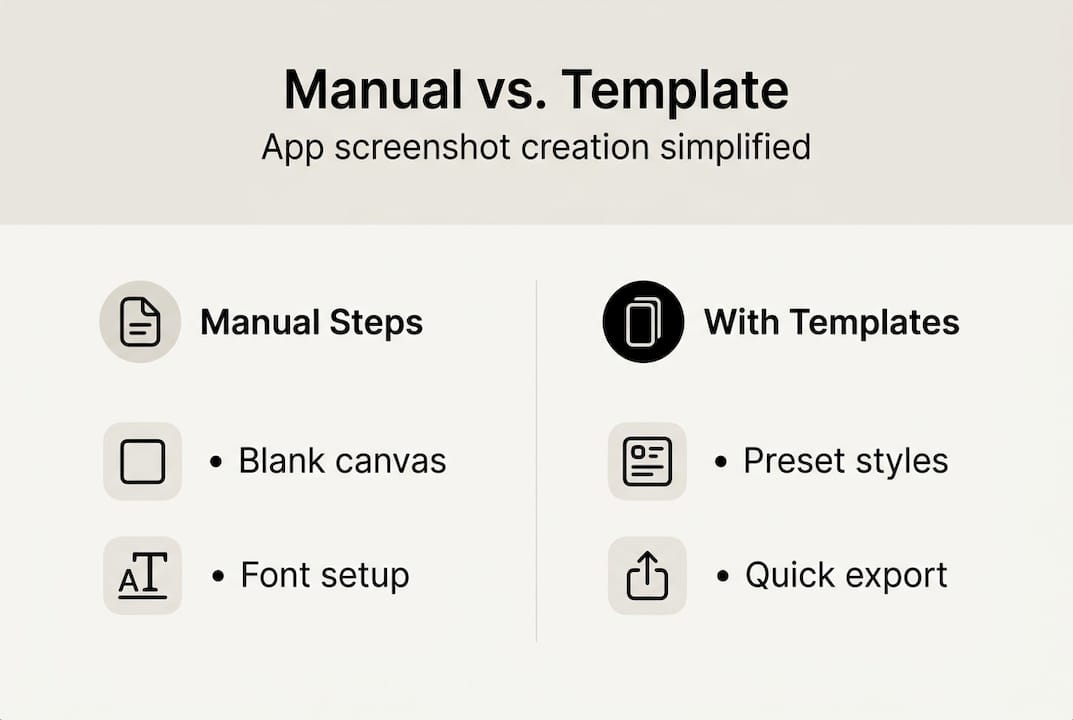
Pre-built screenshot templates streamline the design and update process for app teams, cutting down on the back-and-forth that typically slows releases. Non-designers can produce store-ready visuals in minutes rather than days, which is a game-changer for solo developers or two-person teams.
Templates also make A/B testing practical. Want to test whether a dark background or a light one drives more installs? With a template, you swap the background, re-export, and you’re done. With a manual workflow, that same test might take half a day.
Key benefits you get immediately with templates:
- No guesswork on sizing. Templates are pre-configured for exact store requirements.
- Brand consistency. Your colors, fonts, and tone stay locked across all images.
- Faster iteration. Update one element and regenerate the full set with a single click.
- Reduced rejection risk. Store-compliant templates mean fewer submission errors.
For mockup customization tips that go beyond the basics, there’s a lot you can do with 3D device frames and gradient backgrounds to make your screenshots stand out without needing a designer on call.
With these clear benefits, what should you look for in a template solution?
Choosing the right pre-built screenshot template toolkit
Not all template tools are created equal. Some offer a handful of static layouts and call it done. Others give you the flexibility to actually build something that looks like your brand. Here’s how to separate the good from the mediocre.
| Feature | Why it matters |
|---|---|
| Device coverage | Must include all required sizes for iOS and Android |
| Customization depth | Fonts, colors, backgrounds, and text should all be editable |
| Store compliance | Templates should meet current Apple and Google guidelines |
| Localization support | Ability to swap text per market without rebuilding layouts |
| Export speed | Batch export for all device sizes saves significant time |
| Update workflow | Easy to refresh screenshots when app UI changes |
Before you commit to a toolkit, ask yourself these questions:
- Does it support every device size I need to cover right now?
- Can I update a screenshot set in under 30 minutes when my app changes?
- Does it handle localization without requiring me to rebuild each layout?
- Are the templates compliant with current store guidelines, or will I need to verify manually?
Pro Tip: Prioritize tools that offer batch export across device sizes. If you’re exporting 20 individual files one at a time, you’ve already lost the time savings that templates are supposed to deliver.
Store listing best practices confirm that the best template tools help maintain store compliance and consistently lead to higher conversion rates. This isn’t just about aesthetics. A rejected screenshot submission can delay your launch by days.
Indie developers and small teams benefit most from robust template solutions because they’re absorbing every role at once. Developer, marketer, designer, and QA tester. A template toolkit that handles the design layer means you can focus your limited hours where they actually move the needle.
Now you’re ready to move from theory to action. Here’s how to make your screenshot process a competitive advantage.
Why most teams get app screenshots wrong—and what actually works
Here’s the uncomfortable truth: chasing pixel-perfect, fully custom screenshots often hurts more than it helps. We’ve seen teams spend two weeks obsessing over shadow angles and gradient stops while their competitors shipped, iterated, and collected real user data.
The apps that win in the store aren’t always the ones with the most polished screenshots. They’re the ones that tested the fastest. A team using templates can run three rounds of A/B testing in the time it takes a custom-design workflow to produce one finished set.
Real-world workflow improvements consistently show that small copy changes, like adjusting a headline or reordering screenshots, often outperform full visual redesigns. The lesson is that iteration beats perfection every time.
Templates also reduce burnout. When your screenshot process is fast and repeatable, it stops being a dreaded task and becomes a normal part of shipping. That psychological shift matters more than most teams admit. The goal is a process you can sustain across every release, not just the first one.
Get started with user-friendly screenshot templates now
You’ve seen what’s at stake and how the right tools change the game. The next step is putting it into practice without spending another launch cycle wrestling with design software.
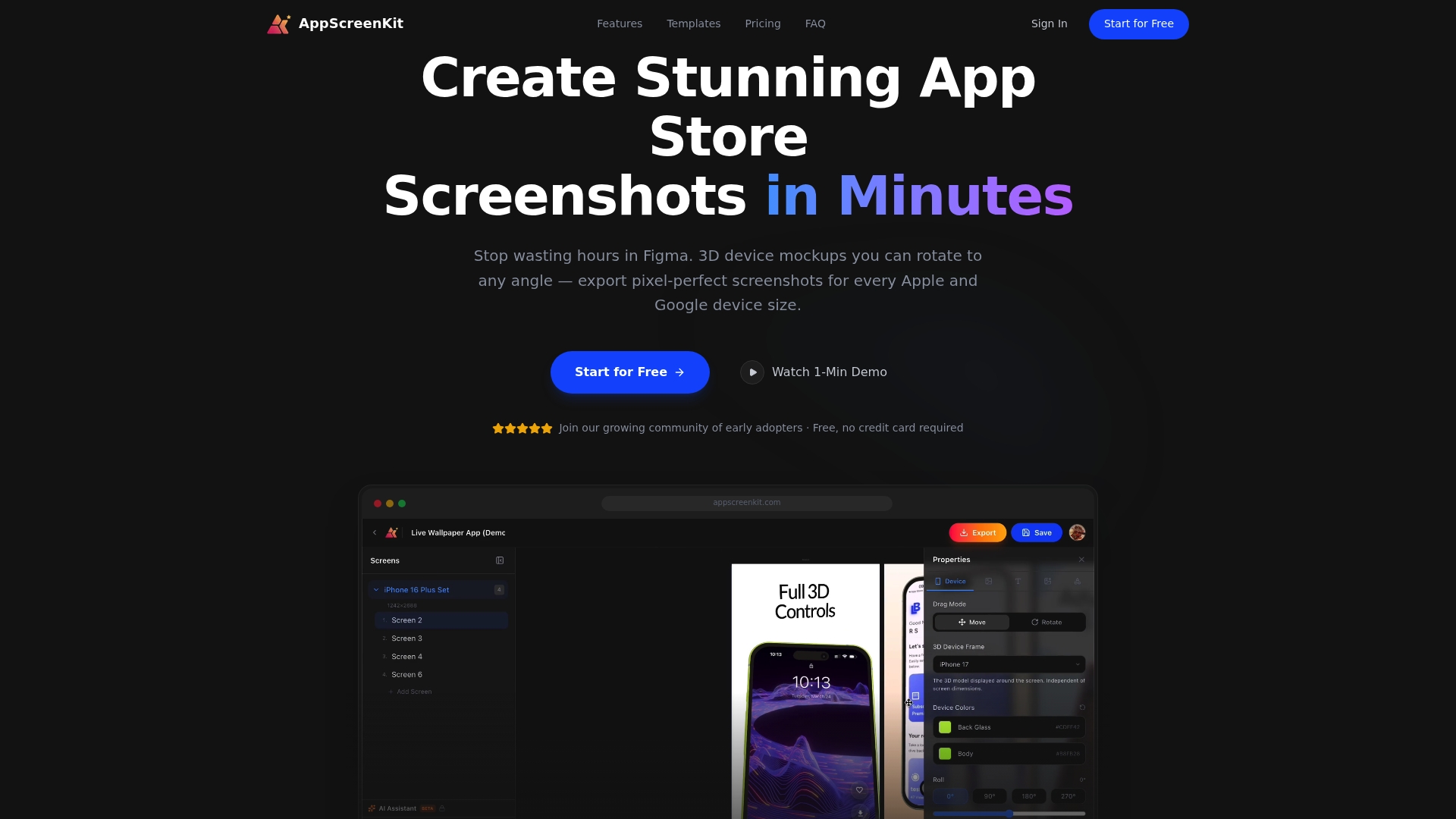
AppScreenKit’s screenshot generator gives you professional 3D device mockups, gradient backgrounds, and branded text tools in one place, no design skills required. You can go from raw app images to a complete, store-ready screenshot set in under 30 minutes. Pair that with the screenshot impact guide and the visual marketing strategies resource to sharpen your approach further. Start with the free plan and see how fast your next launch can move.
Frequently asked questions
How do pre-built screenshot templates affect app store conversions?
Consistent, attractive visuals directly boost conversion rates by making apps look trustworthy and polished at a glance. Teams using quality templates typically see stronger install numbers compared to unoptimized listings.
What features should I look for in a screenshot template tool?
Prioritize device coverage, easy customization, and built-in compliance with store guidelines to avoid rejections and reduce manual verification work.
Are pre-built templates suitable for indie developers?
Absolutely. Templates empower indie developers to produce professional, store-ready visuals quickly without needing graphic design expertise or hiring a contractor.
Do templates support localization or updating for app changes?
Most quality template tools allow easy text swaps for localization and fast updates when your app UI changes, as outlined in store listing best practices.
Leave a Reply